Core Banking Suites

SaaS Core Banking Suite (BADA)

A SaaS core banking suite for rural banks and microfinance institutions.

The business modules and institution-specific configuration are agreed as part of the service. Its product composition and operating arrangement are defined separately from BX-CBP-based implementations.

02 · Situations

When a SaaS core is worth evaluating

  1. 01

    Does running a conventional core fit your operating capacity?

    Why it matters

    Infrastructure and platform work can compete with the institution’s banking operations.

    What you may notice

    Teams are assessing which platform tasks they can manage and which need service support.

  2. 02

    Do products and workflows fit the way your institution works?

    Why it matters

    Misaligned conditions, forms and approvals can require operational workarounds.

    What you may notice

    Staff adjust steps outside the configured deposit or loan workflow.

  3. 03

    Can staff follow connected banking records across daily work?

    Why it matters

    Disconnected customer, account and loan information can add follow-up work.

    What you may notice

    Staff compare records to understand a customer’s account or loan status.

  4. 04

    Is it clear who handles platform and banking responsibilities?

    Why it matters

    Unclear ownership can complicate support requests and operational follow-up.

    What you may notice

    An issue has no agreed owner across the platform provider, operator and institution.

03 · Value

Keep banking operations manageable

01

Core banking as a service

Use a separately composed SaaS core with platform and support responsibilities defined across Bankware, the SaaS operator and your institution.
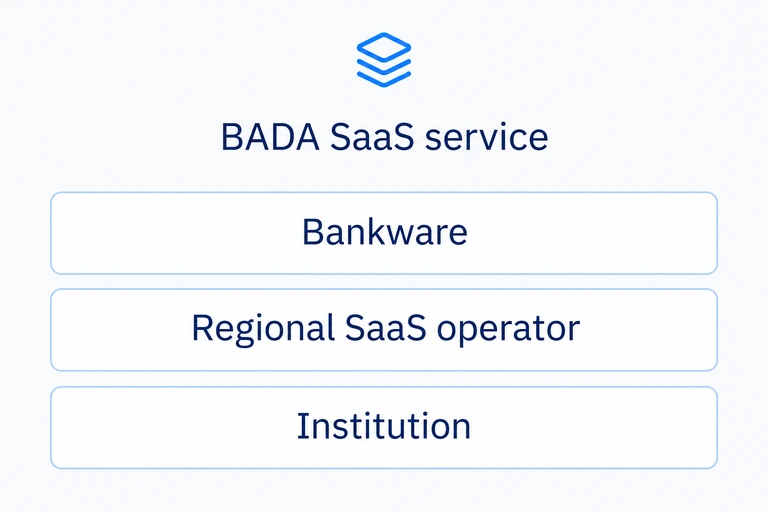

Bankware, the regional SaaS operator and institution have distinct agreed responsibilities for the service
02

Configured daily work

Set supported product conditions, fees, forms and approval workflows in the Admin Dashboard.
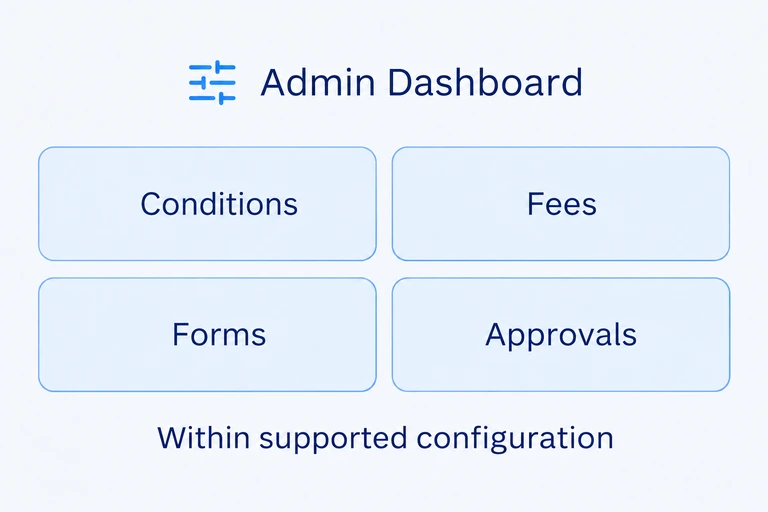
The Admin Dashboard configures supported product conditions, fees, forms and approvals
03

Connected banking records

Bring customer, deposit, loan and accounting records together across the activated modules.
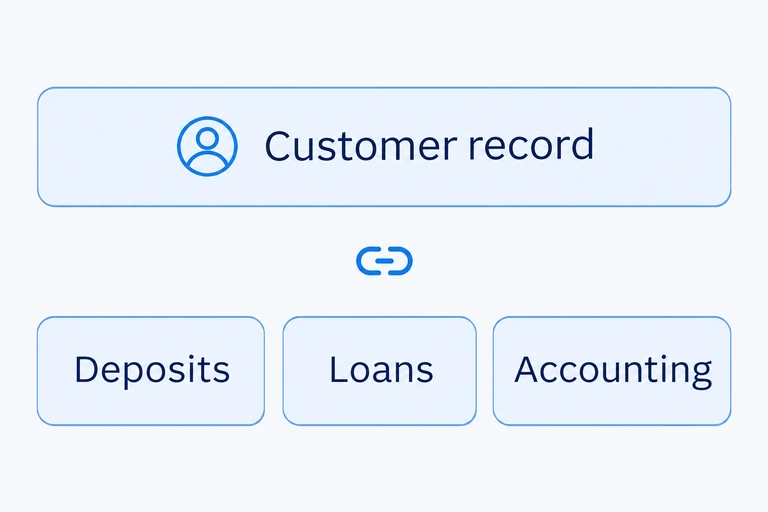
Activated modules relate customer, deposit, loan and accounting records
04

An institution-specific scope

Activate the required modules within the available BADA service scope, with institution-specific users, permissions and parameters.
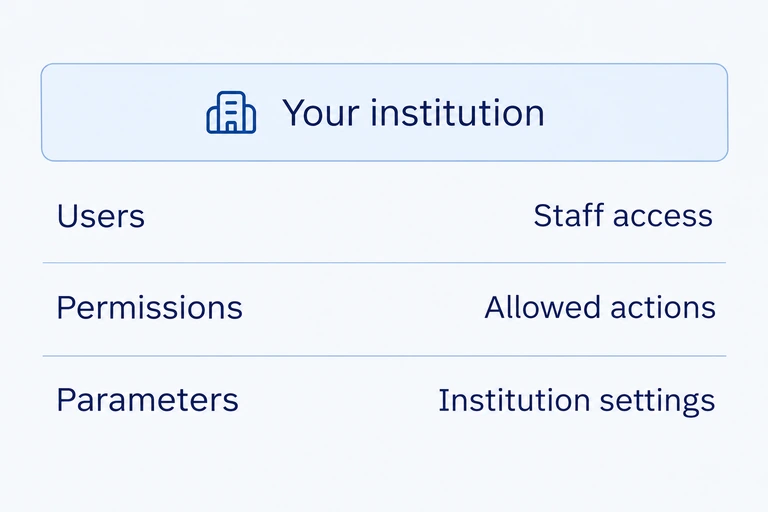
Institution-specific users, permissions and parameters apply within the available service scope
04 · Scope and functions

Banking modules and supporting services

Institution-specific module scope7 core areas + supporting access

Customer management

Individual and corporate registration, customer relationships, customer views, risk grades and watchlists.

Deposit management

Deposit account opening, maintenance and closure, cash and check transactions, restrictions, passbooks and internal accounts.

Loan origination and management

Loan applications, workflow and committee approvals, schedules, disbursement, repayment, delinquency and credit-loss settings.

Collateral management (optional)

Optional collateral management: real-estate, deposit and other collateral records, security interests, loan links and collateral enquiries.

Payments and transfers

Payments and transfers within the agreed service scope. External-service connections and local adaptations are defined for the implementation.

Accounting and general ledger

Teller and branch closing, cash management, general ledger, manual adjustments, settlement and reconciliation.

Administration and configuration

Department and staff management, role access, product and institution parameters, approvals, forms and report settings.

Channels and onboarding

Teller operations and channel/partner APIs are included. Customer Mobile App and Internet Banking are optional. Agree the required channel, identity-service and onboarding interfaces.

Explore detailed functions

Explore daily banking and administration capabilities. Premium functions, local report packages and external-service connections follow the selected service scope.

38 functions · 7 areas
01

Customer management

5
Individual and corporate registration

Register individual and corporate customers and maintain their customer records.

Customer application review

Search customer self-registration applications and approve or reject them through staff review.

Customer relationships and customer view

Connect customer relationships and review customer information, accounts and related banking records.

Risk grades and watchlists

Maintain customer risk grades, watchlists and customer classification information.

Customer access and notices

Manage customer login information and review customer notice history.

02

Deposit management

6
Account lifecycle

Open, maintain and close deposit accounts and review account details and transaction history.

Cash and check transactions

Process cash and check credits and debits through teller operations.

Account restrictions

Maintain account blocking and restrictions for the relevant deposit accounts.

Passbooks and checkbooks

Manage passbook and checkbook operations alongside account servicing.

Internal accounts

Manage internal accounts and the related debit and credit transactions.

Deposit reporting

Review deposit balances, transactions and account reports for daily operations.

03

Loan origination and management

7
Loan applications

Capture loan application data and review applications received through connected customer channels.

Workflow and committee approvals

Route applications through the configured approval workflow and credit committee actions.

Loan schedules

Create and maintain loan repayment schedules and view instalments and balances.

Disbursement and repayment

Process loan disbursements and repayments and maintain the corresponding loan records.

Delinquency and credit-loss settings

Review delinquent loans and manage the applicable allowance-for-credit-loss rates.

Legacy schedule corrections — Premium

Correct eligible migrated loan schedules under the Premium legacy function; these corrections do not change accounting entries.

Loan reports and dashboards

Review loan and delinquency reports. Loan dashboards are available in the applicable Premium package.

04

Collateral management

4
Collateral records

Register real-estate, deposit and other collateral and maintain the related details.

Loan links and security interests

Link collateral to loan accounts and maintain the associated security-interest information.

Collateral enquiries

Find collateral records by the available date and list criteria and review their loan relationships.

ROPA processing — Philippines Premium

Manage the applicable real and other properties acquired processes in the Philippines Premium scope.

05

Accounting and general ledger

7
Teller and branch closing

Manage teller and branch closing and review the related closing records.

Cash management

Maintain teller and branch cash transactions and cash-management records.

General ledger and trial balance

Review general-ledger balances and trial balances across daily accounting operations.

Manual accounting adjustments

Enter and manage manual accounting adjustments through the defined accounting process.

Settlement and reconciliation

Maintain settlement accounts and reconcile the related transaction records.

Account operations

Open, debit, credit and close accounts within the supported scope.

Banking and regulatory reports

Review customer, deposit and loan reports. Philippines-specific PDIC, BSP and AML reports apply to the relevant local package.

06

Admin and configuration

6
Department and staff management

Maintain departments, staff records and the institution’s organisational setup.

Role and menu access

Assign staff roles and menu access for the relevant business activities.

Product and institution settings

Configure supported product settings, business-to-general-ledger mappings and institution parameters.

Approvals, forms and reports

Maintain approval settings, documents, forms and report configuration.

Notifications and activity journal

Manage notifications and review staff activity records.

Mobile content administration

Maintain mobile banners and content through the administration functions.

07

Channels and onboarding

3
Teller operations

Connect customer application review with staff servicing across the banking modules.

Customer application journeys

Review self-registration and loan applications received through connected online and mobile customer channels.

Migration inspection — Sandbox only

Upload migration data for first-level inspection in the Sandbox environment.

05 · Foundation and delivery

Understand who runs what

BADA

Separate SaaS composition

BADA combines banking modules, institution configuration and service operations in a separately composed SaaS core for rural banks and microfinance institutions.

Banking modules and supporting services

  • Customer management
  • Deposit management
  • Loan origination and management
  • Collateral management (optional)
  • Payments and transfers
  • Accounting and general ledger
  • Administration and configuration

Admin Dashboard

Institution-specific configuration

Operating responsibilities

Bankware

Platform maintenance and agreed L3 platform support

Regional SaaS operator

Environment setup, institution onboarding, migration support and agreed L1/L2 support

Institution

Business parameters, staff access and banking and regulatory responsibilities

Integration and onboarding

Agree the channel and identity-service interfaces, migration data, institution configuration and acceptance checks. Available modules and local adaptations are confirmed before implementation.

Prepare your institution for the service

  1. Phase 1

    Service scope

    Available modules, institution requirements and service responsibilities.

  2. Phase 2

    Institution setup

    Institution settings, staff access and agreed interfaces.

  3. Phase 3

    Migration & acceptance

    Migration data, validation and acceptance checks.

  4. Phase 4

    Operational handover

    Agreed operating responsibilities and support arrangements.

06 · Customer experience

Rural banking on BADA

OUR Bank (One Unified Rural Bank)

Loan and deposit products on a banking SaaS platform

Bankware provides BADA to OUR Bank, a Philippine rural bank, with the bank’s loan and deposit products configured on the platform. Bankware operates BADA as SaaS, while OUR Bank serves its customers.

Contact Sales

Explore whether BADA fits your institution

Tell us about your institution, deposit and loan products, branches, service channels and local requirements. We can discuss service availability, module scope and operating responsibilities.