Extend your corporate banking relationships
You want to serve suppliers and dealers around existing corporate customers.

Connect financing across your supply chain.
Connect anchor corporates, suppliers and dealers through confirmed trade documents. Suppliers seek finance against receivables from anchor corporates; dealers seek finance against invoices. The bank reviews financing requests and tracks repayment.
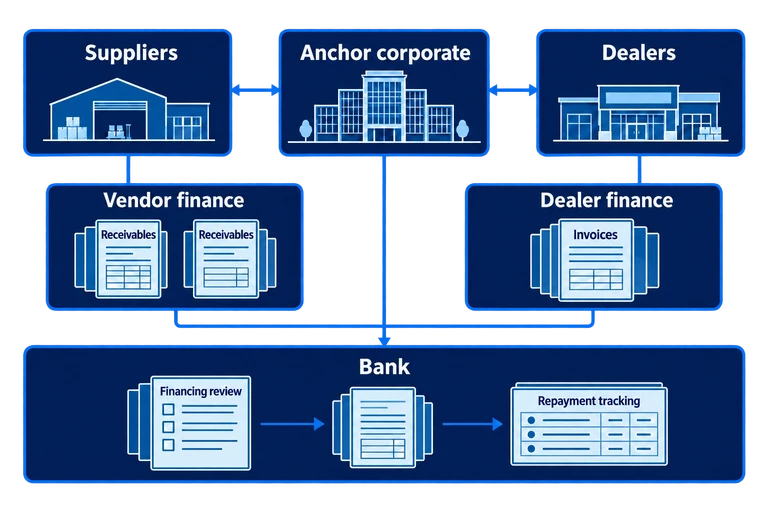
You want to serve suppliers and dealers around existing corporate customers.
Document registration, confirmation and financing requests involve teams at the bank, anchor and partner businesses.
Your programme needs to process documents for multiple counterparties without making daily work harder to manage.
Serve suppliers and dealers around your anchor corporate relationships.
Vendor finance and dealer finance support different trade assets within one platform, with agreements and limits for the participants in each programme.
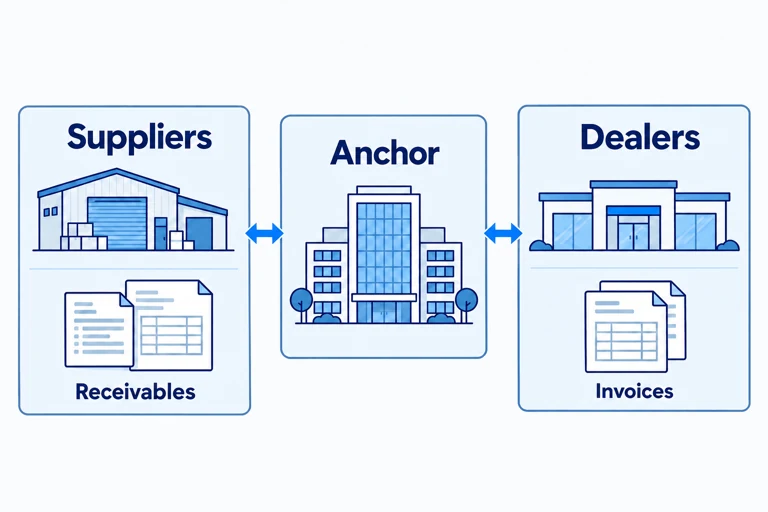
Give banks, anchors and partners defined roles in registration, confirmation and financing.
Vendor-finance receivables follow a confirmation chain between supplier and anchor, keeping each party’s responsibilities clear.
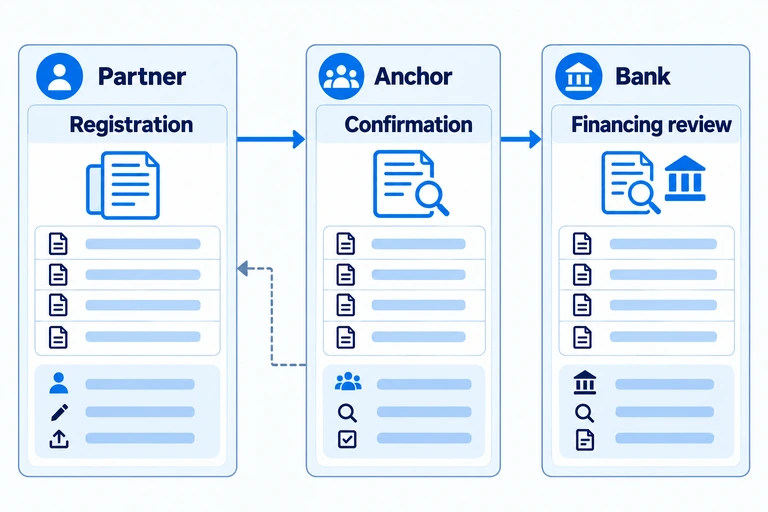
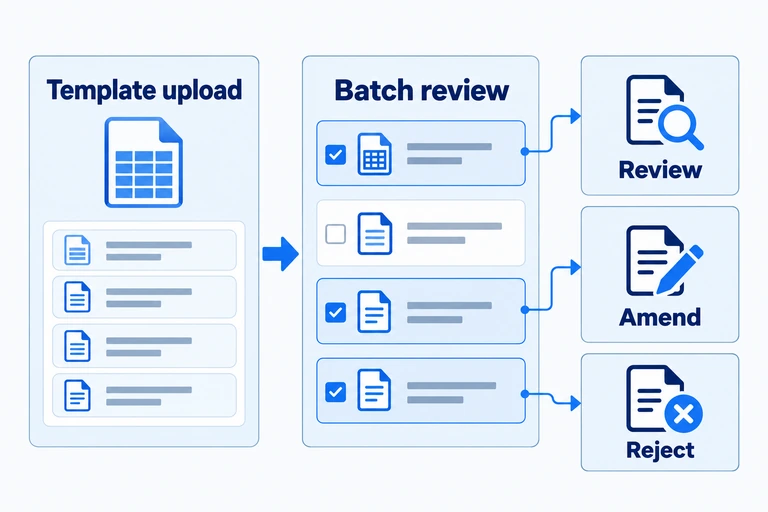
Upload trade documents using templates, and register or confirm multiple items together in supported workflows.
Teams retain item-level review, amendment and rejection within supported batch workflows.
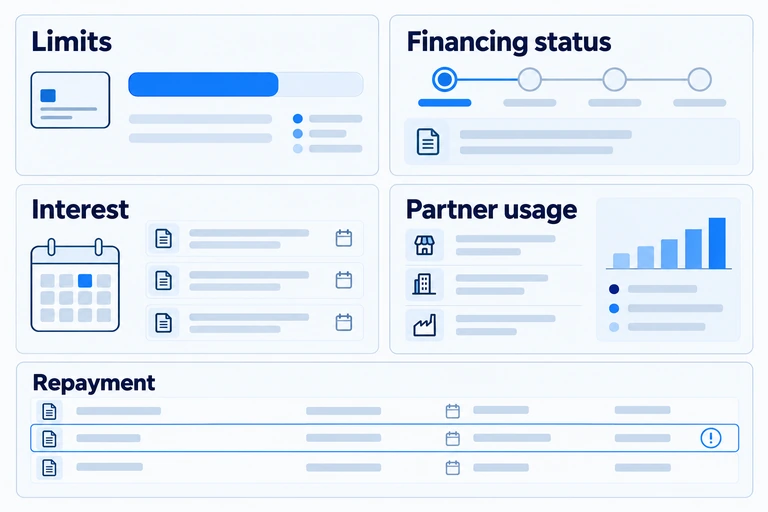
Follow financing status, interest payments and partner-level usage through dedicated views.
Available limits and repayment status help teams identify what needs attention, including overdue items and extension requests.
Register and confirm trade documents across supplier and anchor roles, with template-based bulk import supported.
Submit financing applications for approval processing. Where enabled by the agreement, financing requests are submitted automatically.
Track receivables settlement at maturity and the resulting status. Settlement and principal-repayment accounts support the flow; secured deposit accounts apply where the bank requires them.
Invited suppliers can view their own receivables and available financing offers without a master agreement.
Enter invoices directly or upload a template, including invoices for multiple partners. Confirm items in batches, with review, amendment and rejection in the relevant workflow.
Submit financing applications for approval processing, with collateral and inventory handling.
Review financing, interest payments and partner-level usage. Dealers can request an extension; the bank reviews and approves it before repayment terms are updated.
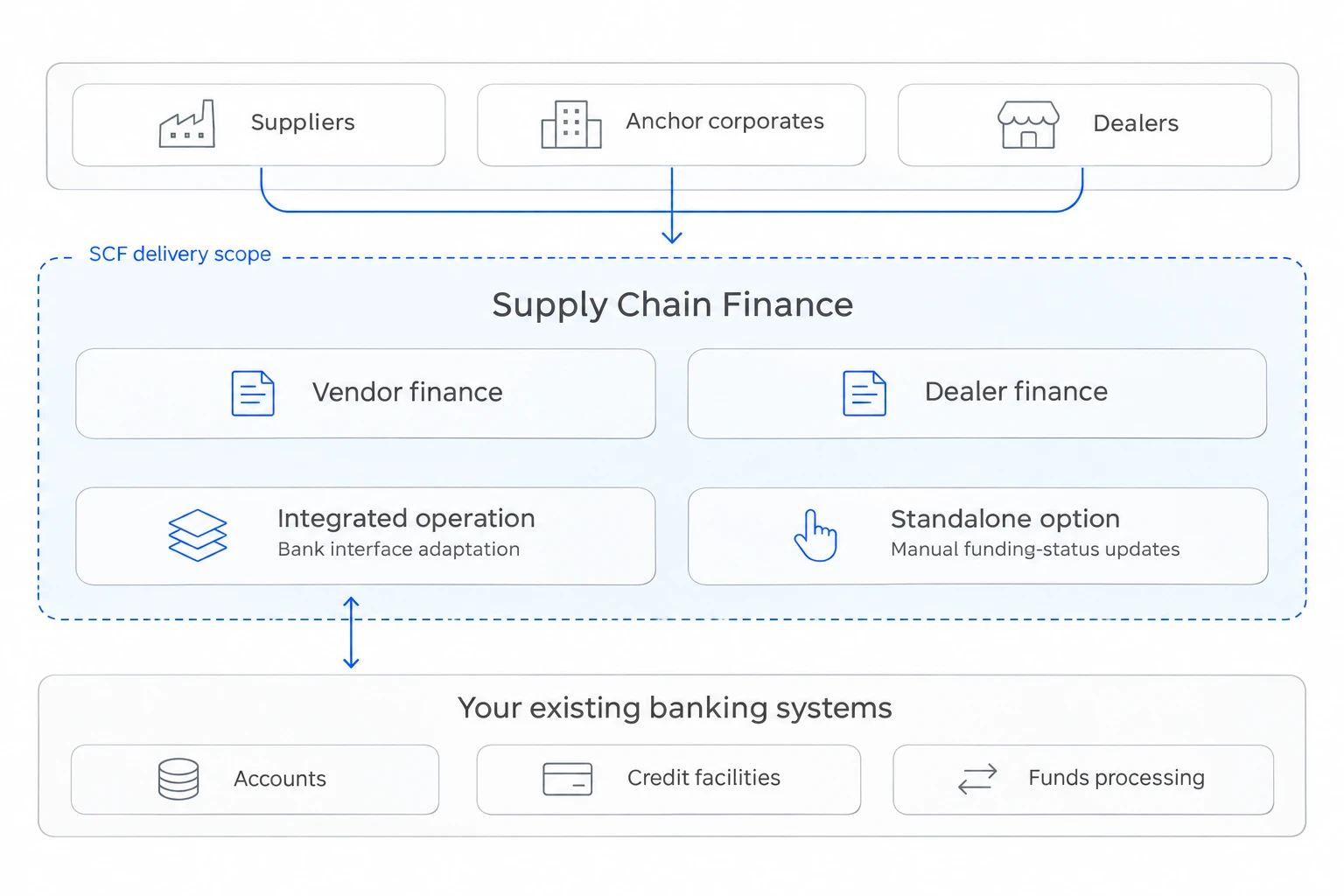
Supply Chain Finance is delivered as SaaS. Choose standalone operation or integration with your existing banking systems to suit your programme and operating needs. These options describe bank-system connectivity, not alternative hosting models.
Connect with your bank’s systems to exchange requests, queries and status information through agreed interfaces.
Start without bank-system interface development, using the platform for programme workflows while maintaining funding status manually.
Set up roles, agreements and business rules within the SaaS service. Hosting details and operating responsibilities are agreed for your bank.
Review your environment and operating needs.
Select standalone or integrated operation.
Set up roles, agreements and programme rules.
Confirm workflows and readiness for launch.
Vendor and dealer financing in Indonesia
Deployed with commercial banks in Vietnam and Indonesia.
Tell us about your anchor corporates, suppliers or dealers, the financing programme you want to offer and the bank systems it needs to connect with. Together, we can define programme rules and delivery responsibilities.